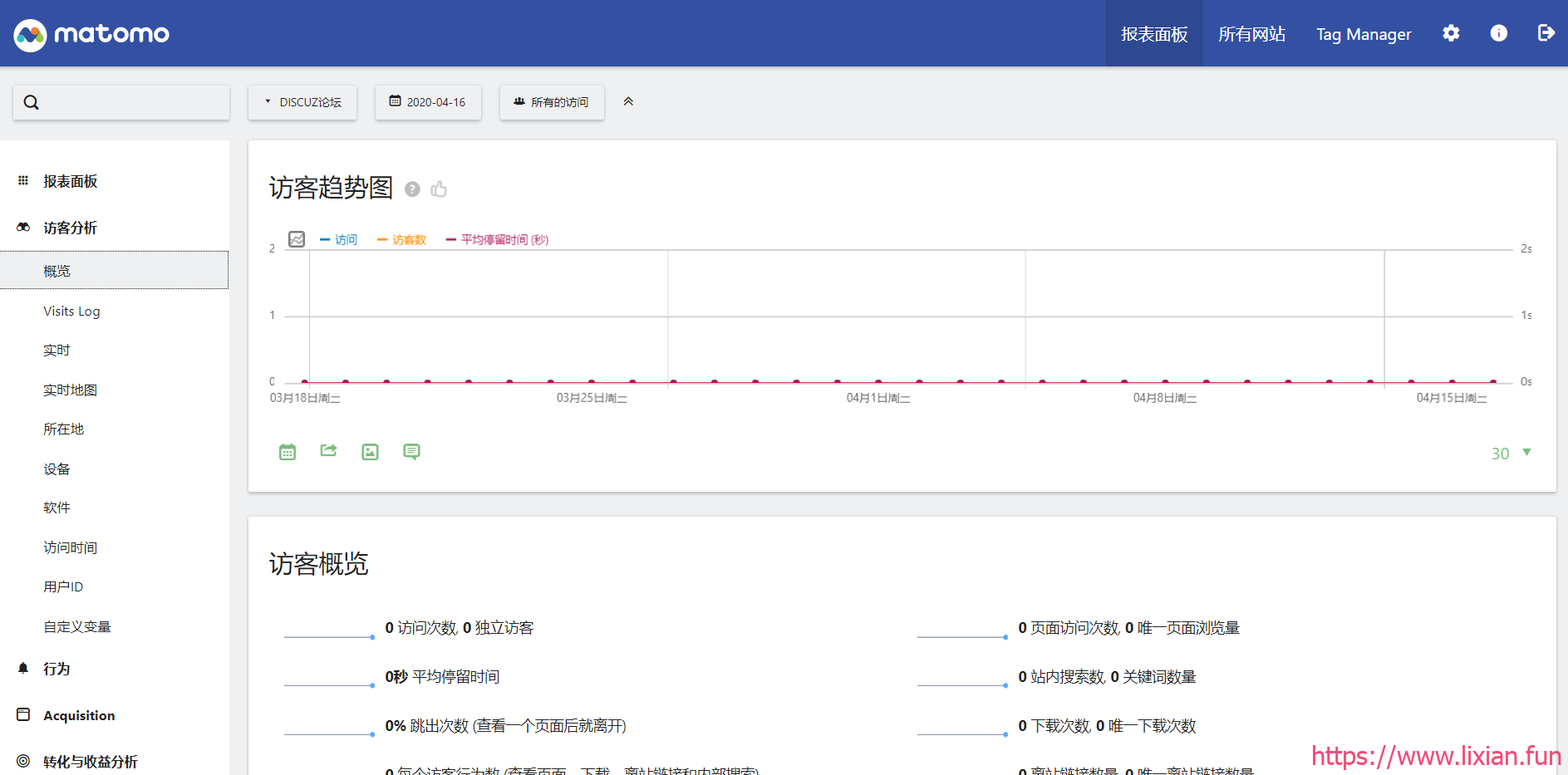
一、环境准备
#安装nginx服务,php服务,数据库服务
[root@web01 ~]# yum install -y nginx php-fpm mariadb-server

#编写nginx配置文件
[root@web01 /etc/nginx/conf.d]# cat matomo.conf
server {
    listen       80;
    server_name  www.matomo.com;
    location / {
        root   /usr/share/nginx/html/matomo;
        index  index.php index.htm;
    }
    location ~ \.php$ {
        root   /usr/share/nginx/html/matomo;
        fastcgi_pass   127.0.0.1:9000;
	    fastcgi_index  index.php;
        fastcgi_param  SCRIPT_FILENAME  $document_root$fastcgi_script_name;
        include        fastcgi_params;
	}
}

#重启服务
[root@web01 ~]# systemctl restart nginx.service php-fpm.service mariadb.service
二、部署matomo
#上传matomo-latest.zip代码包
[root@web01 ~]# cd /usr/share/nginx/html/
[root@web01 /usr/share/nginx/html]# ls
matomo-latest.zip

#解压
[root@web01 /usr/share/nginx/html]# unzip -q  /root/matomo-latest.zip  -d  ./

#授权
[root@web01 /usr/share/nginx/html]# chown -R nginx.nginx  matomo/
[root@web01 /usr/share/nginx/html]# ll
-rw-r--r--  1 root  root       341 3月  24 12:25 How to install Matomo.html
drwxr-xr-x 12 nginx nginx     4096 5月  22 15:16 matomo
-rw-r--r--  1 root  root  19375918 5月  22 14:42 matomo-latest.zip

#创建数据库及用户
[root@web01 ~]# mysql -uroot -p
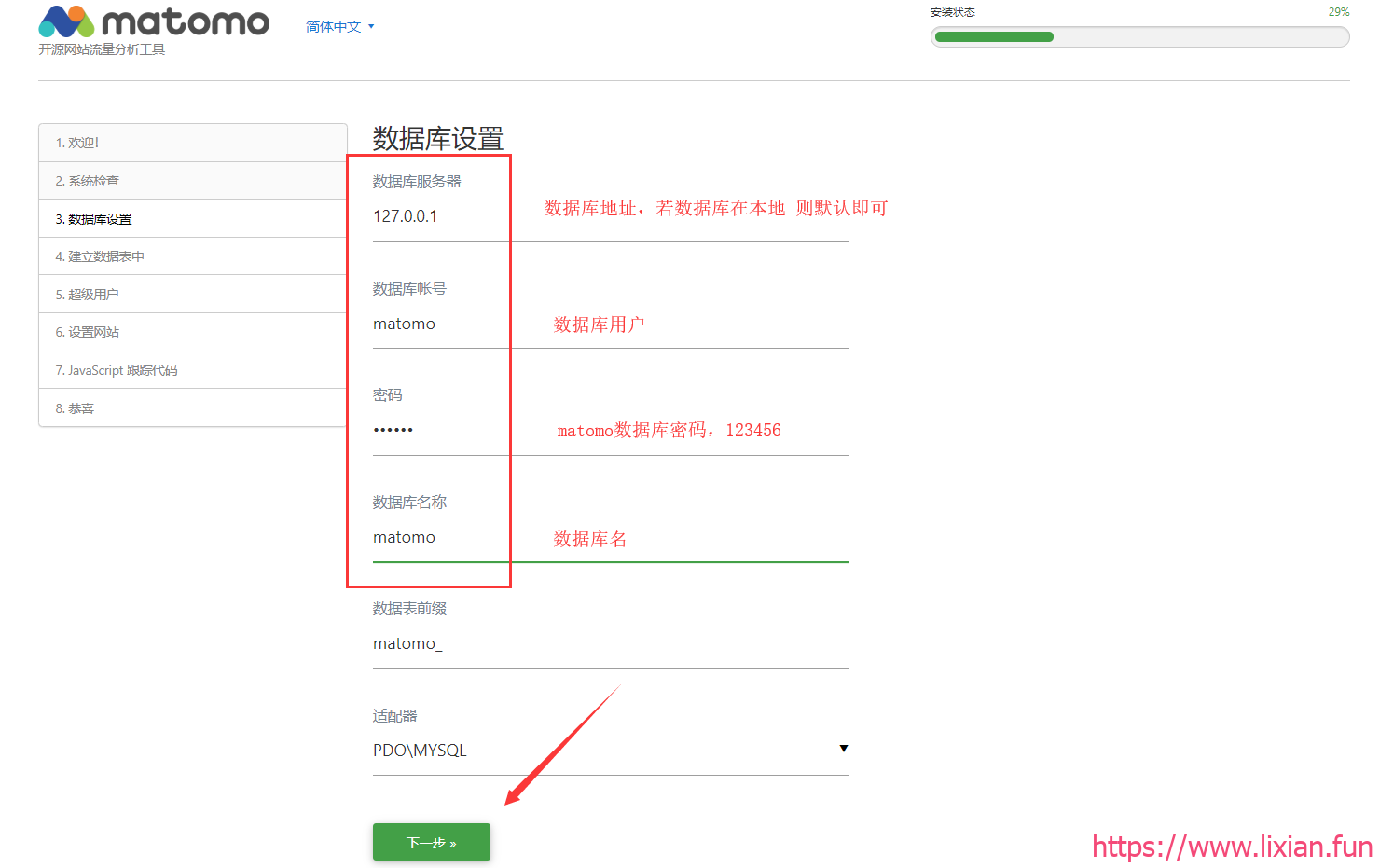
MariaDB [(none)]> create database matomo;
MariaDB [(none)]> grant all on matomo.* to matomo@'localhost' identified by '123456';
三、浏览器页面部署安装matomo
1.浏览器输入域名访问(需要域名解析)
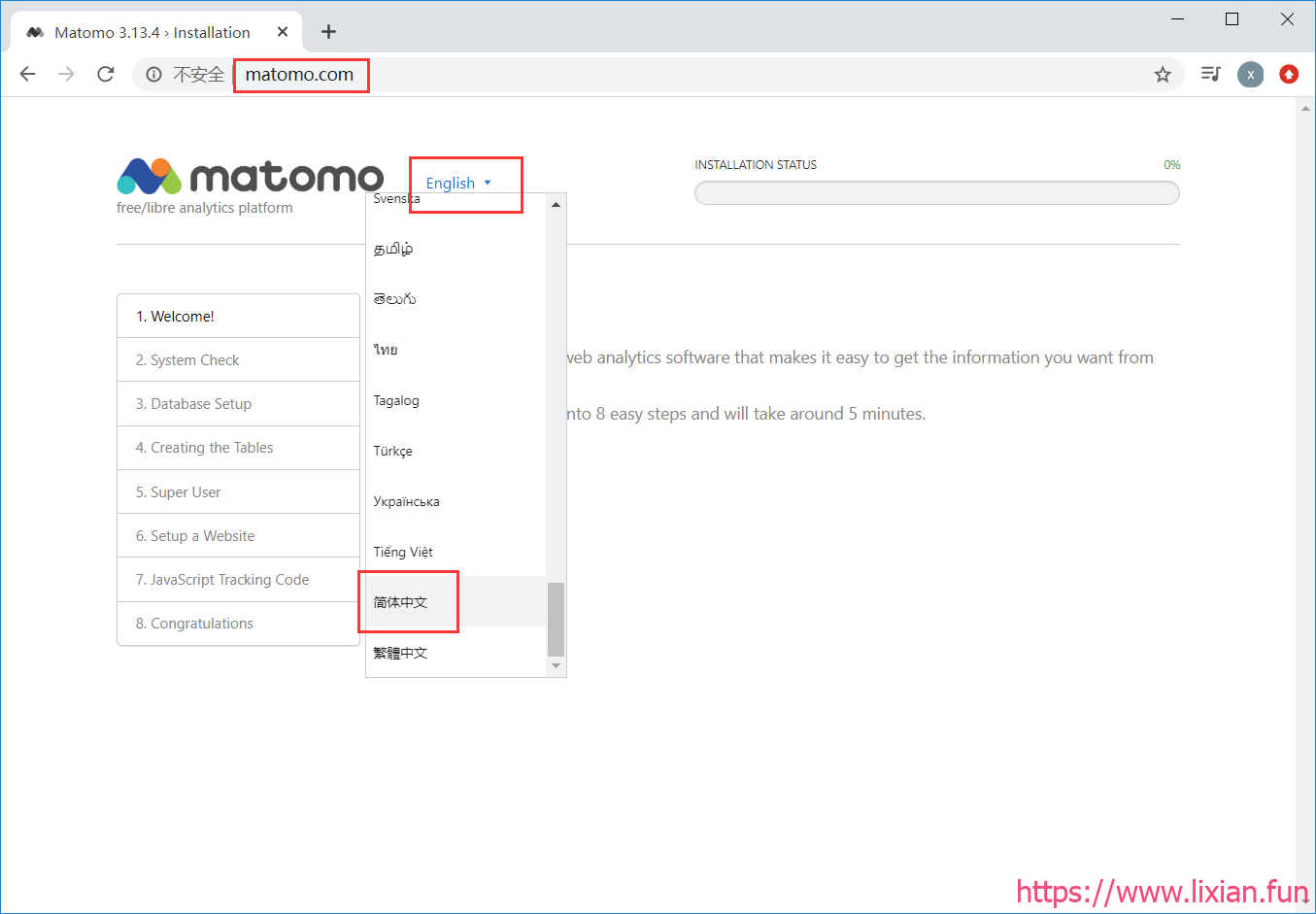
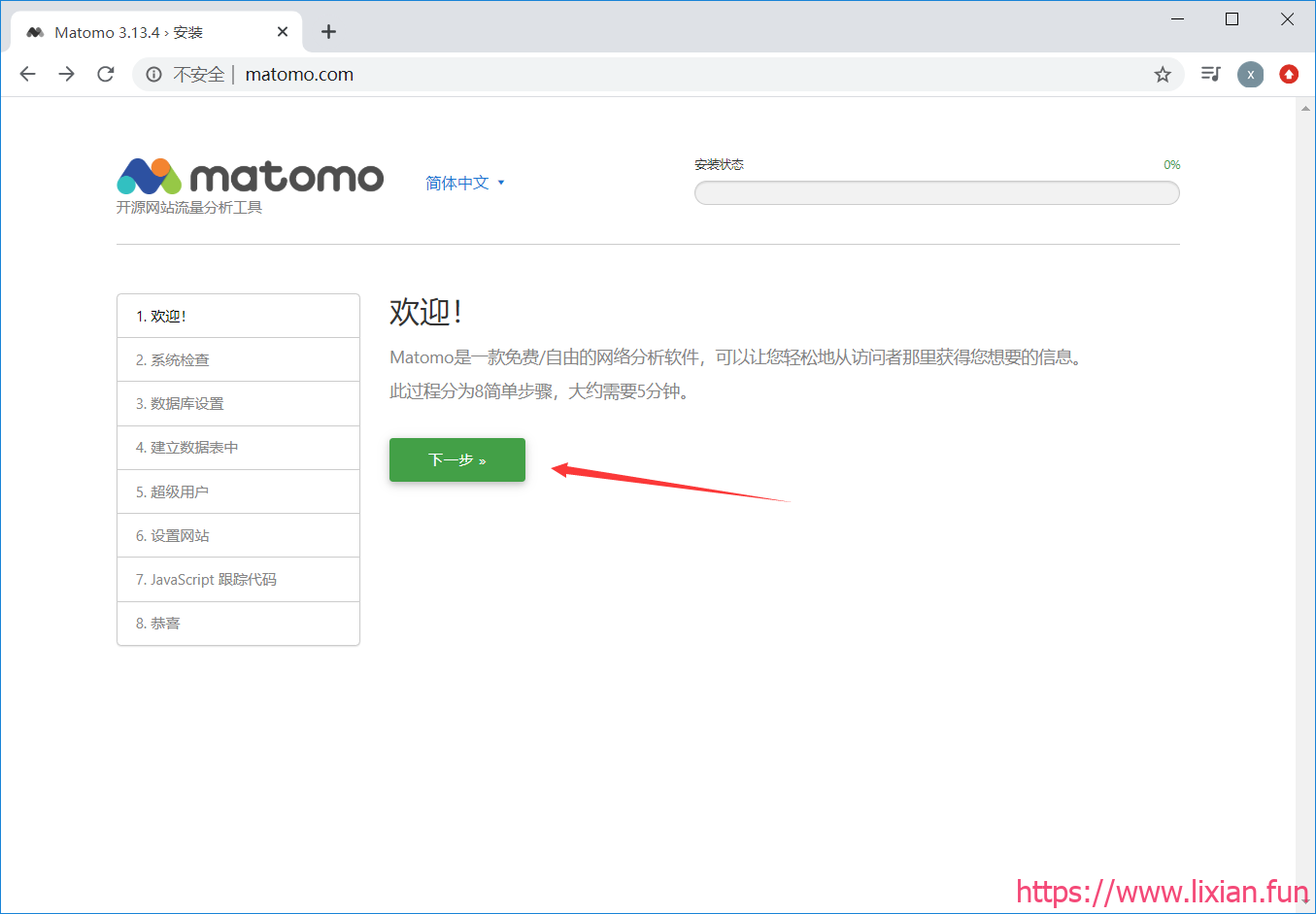
2.下一步安装
3.填写数据库信息
4.数据库验证成功
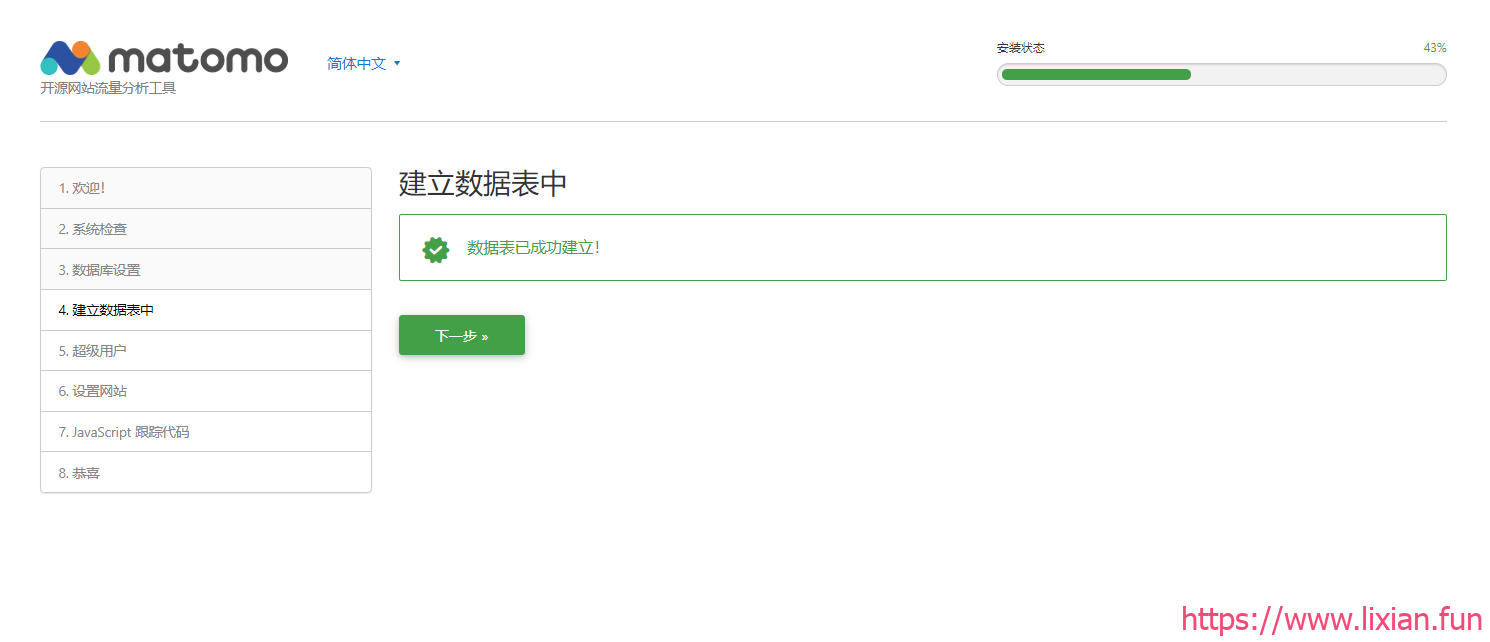
5.设置登录用户及密码
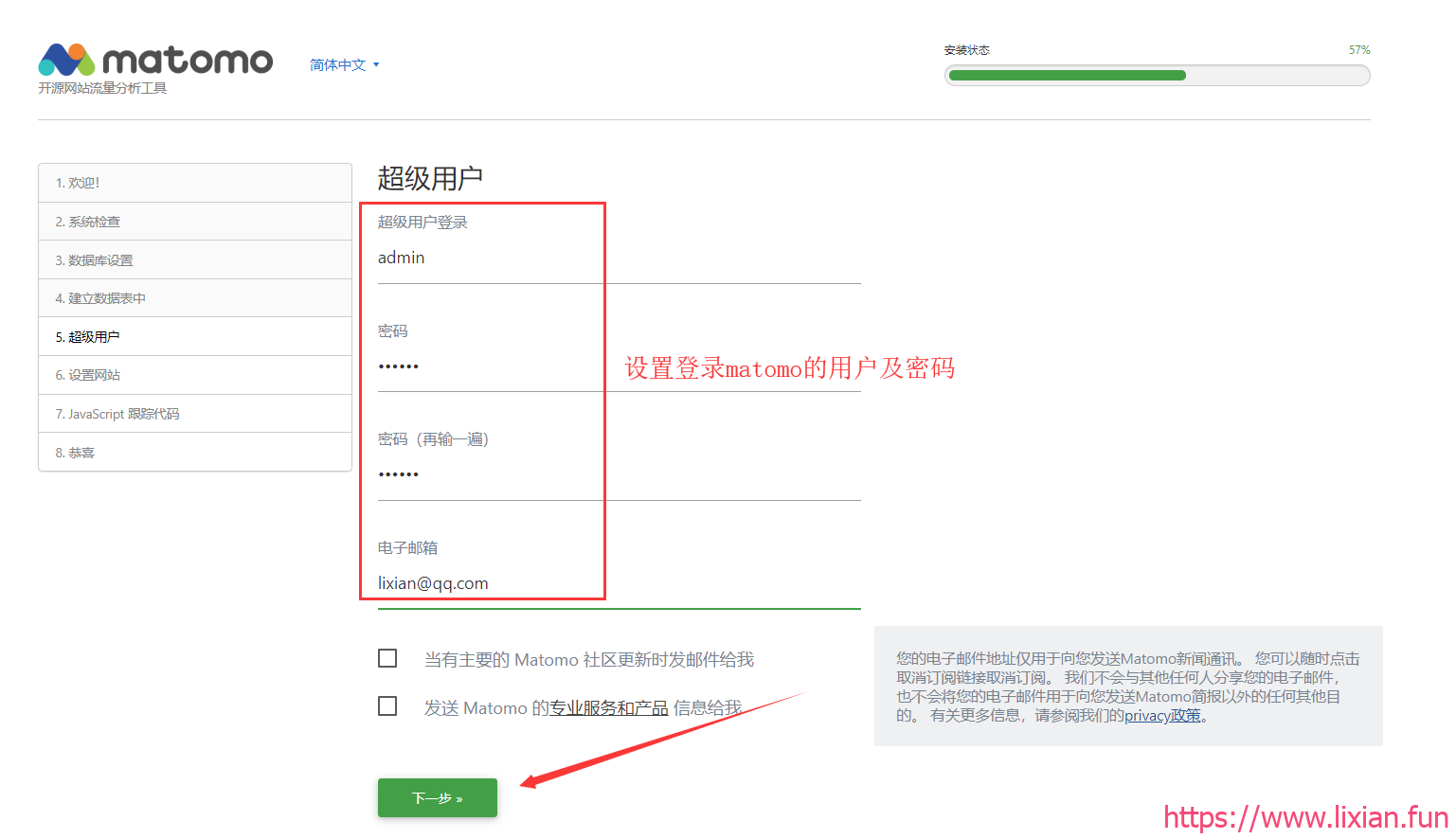
6.设置网站信息
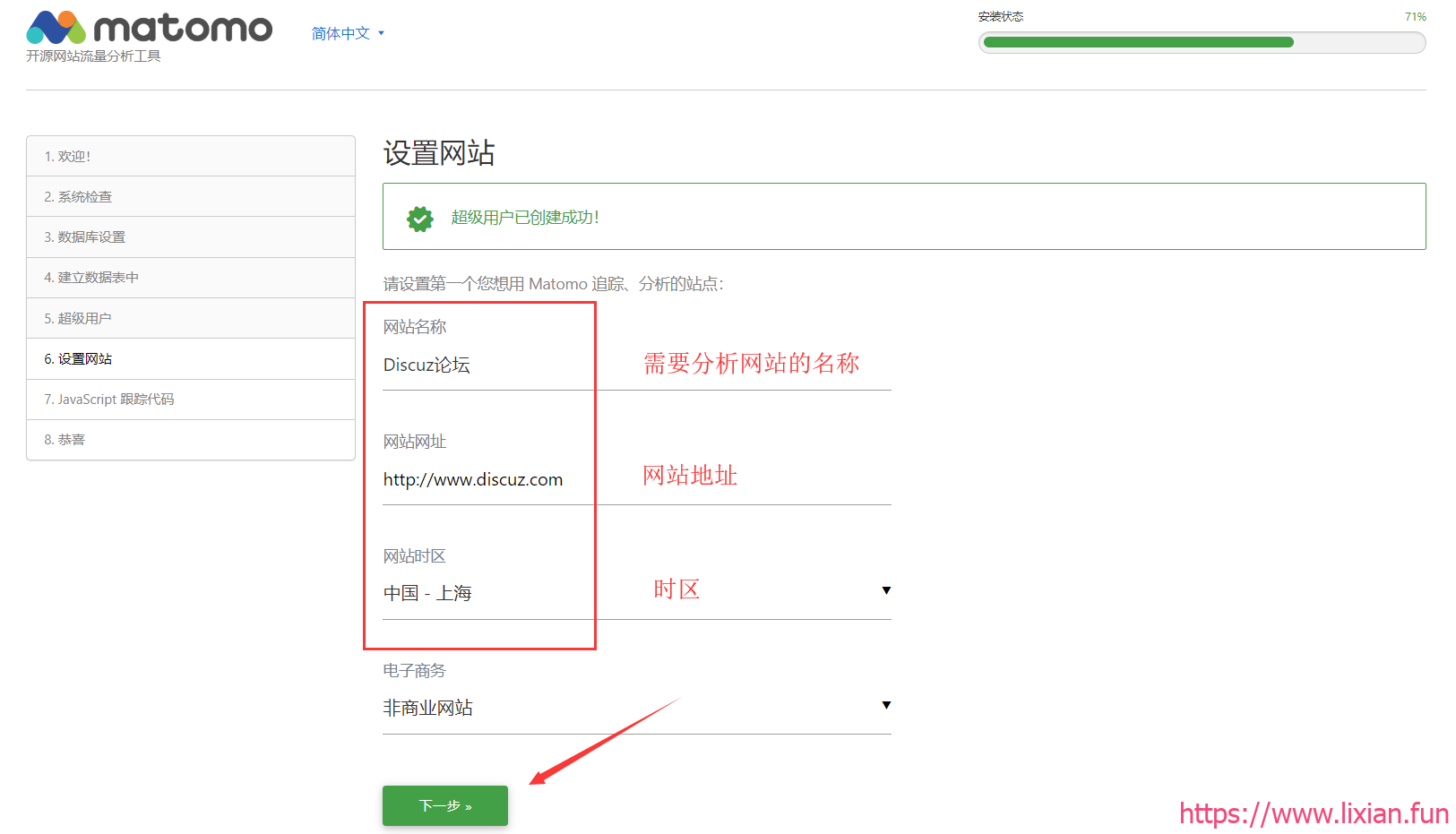
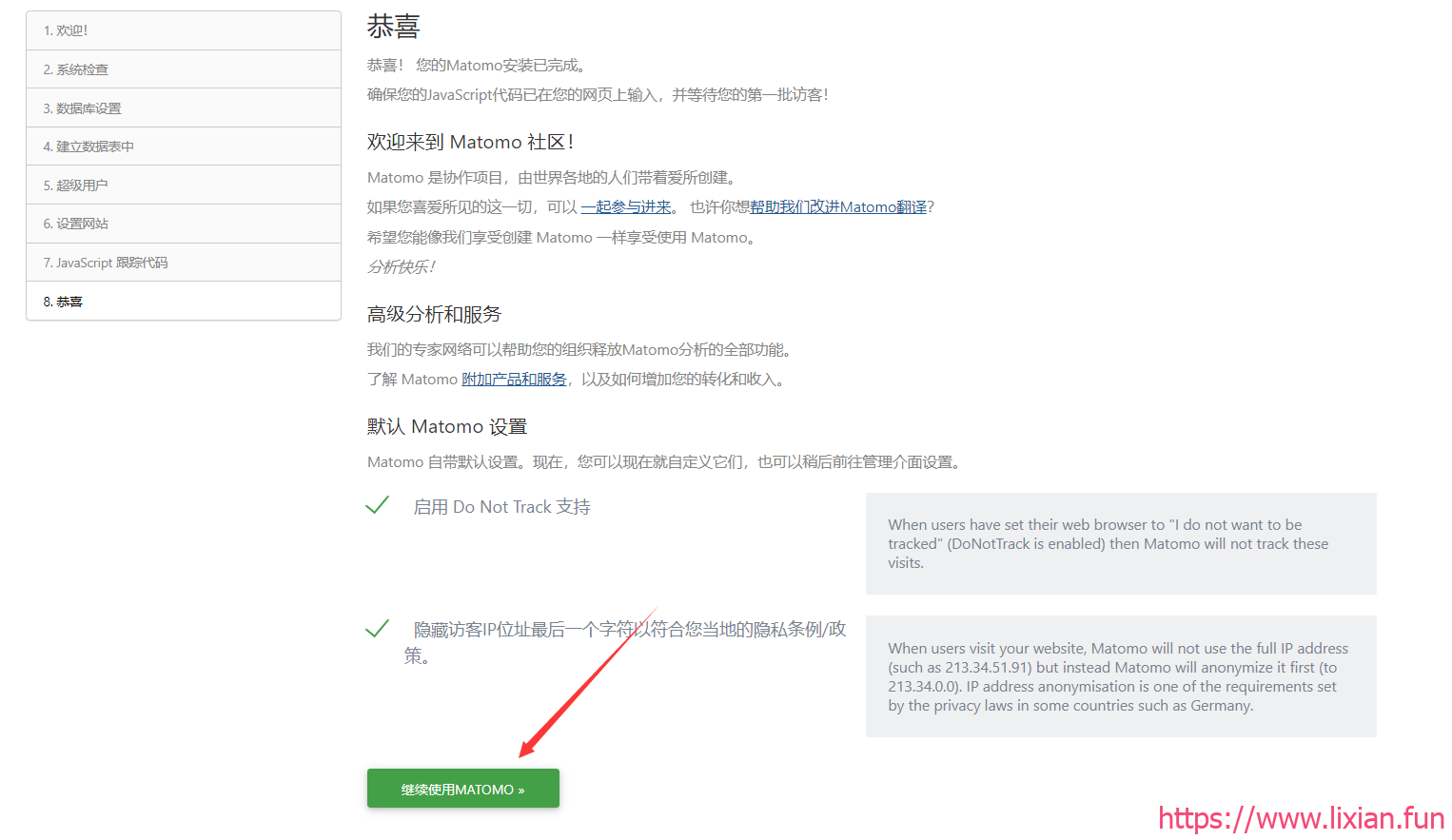
7.下一步完成安装
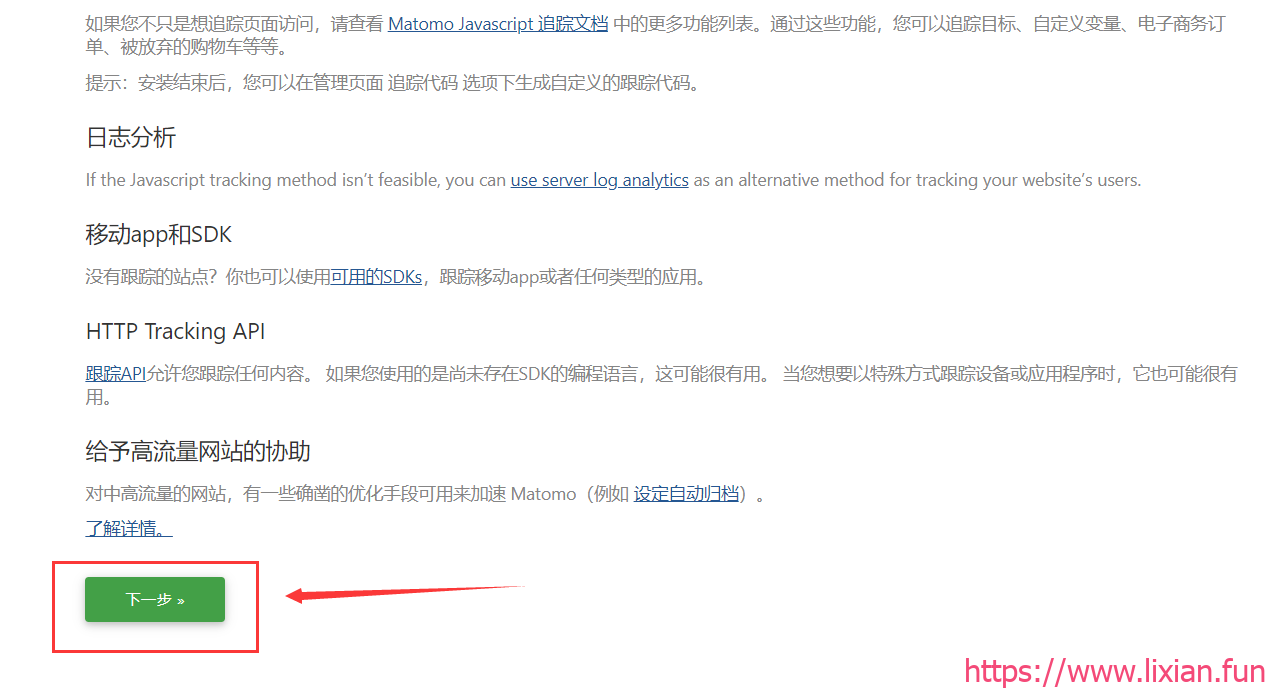
8.继续使用matomo
四、使用matomo分析网站数据
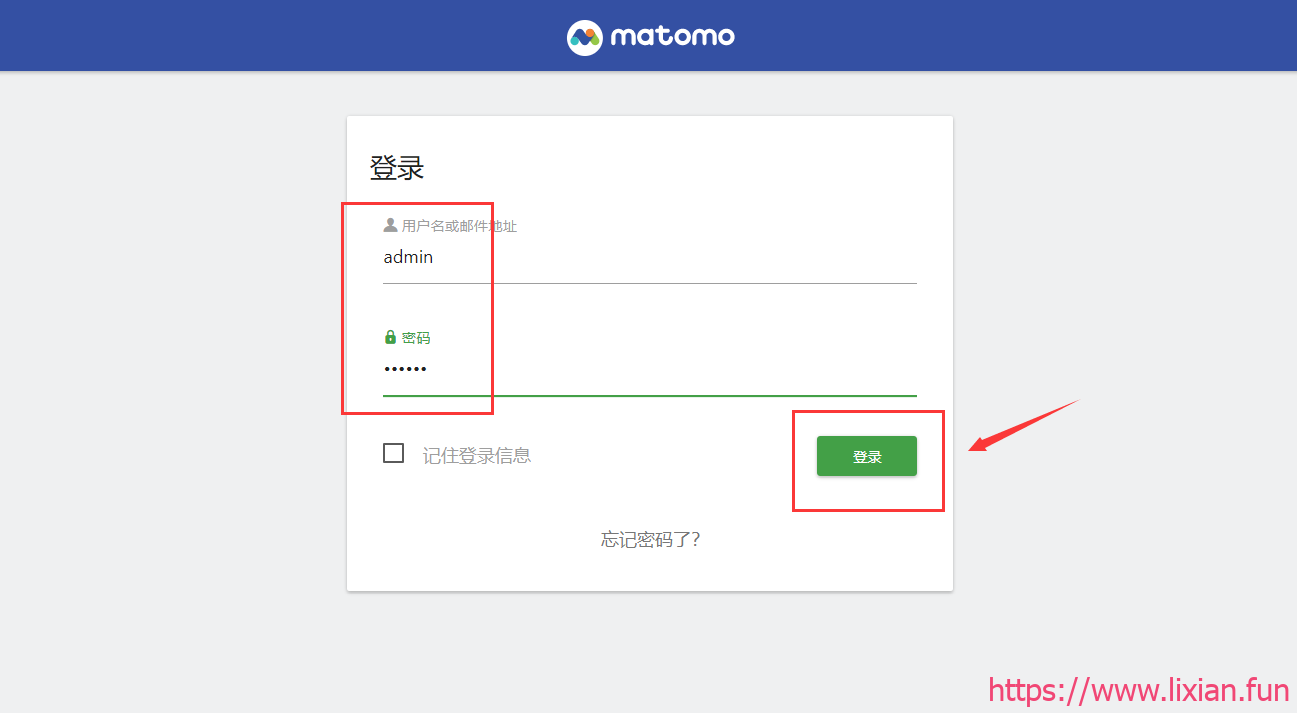
1.登录matomo
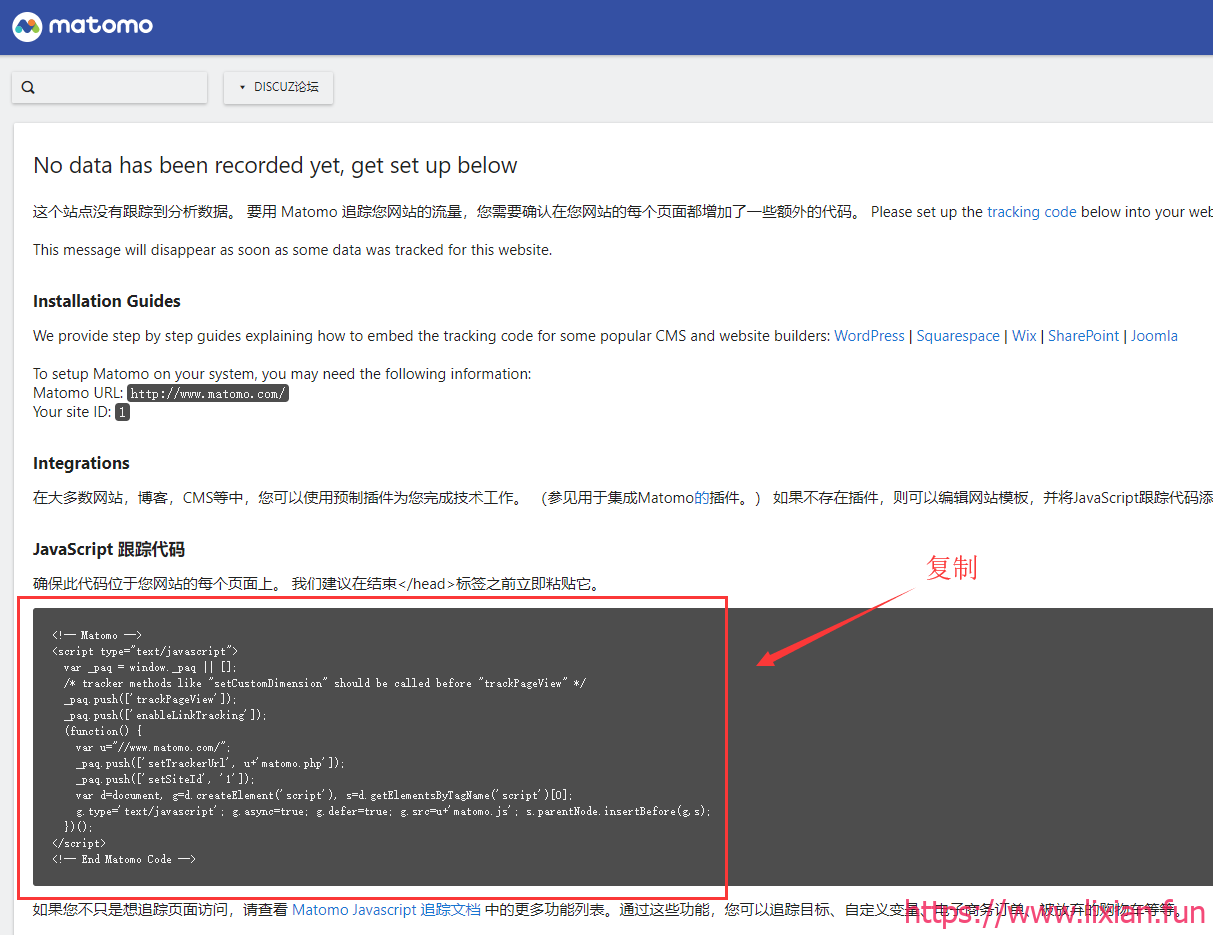
2.复制js代码
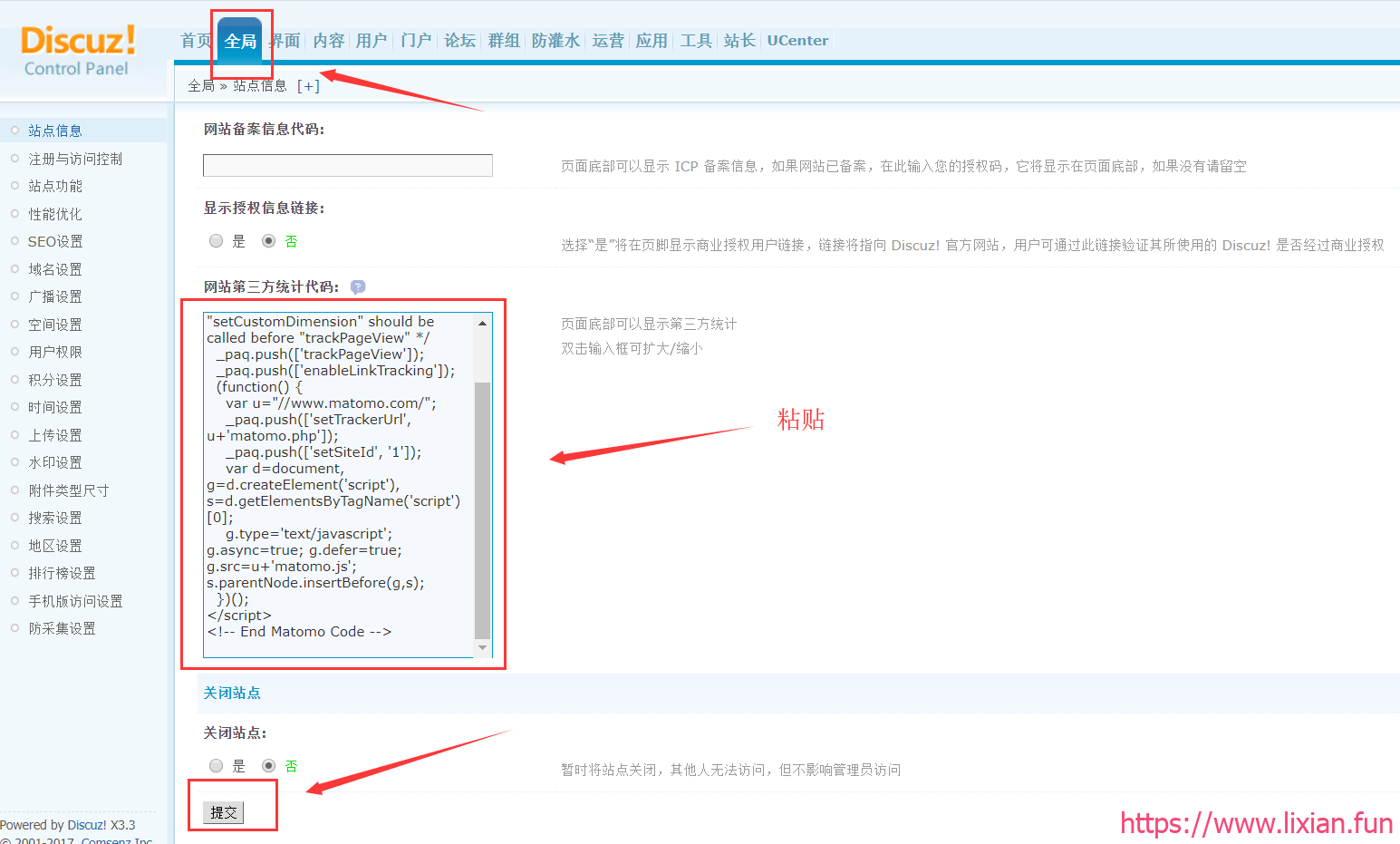
3.粘贴到网站的第三方统计代码中
4.在matomo报表面板中查看数据