• 世界75亿人,这么小的概率,能认识你,是我一生的幸运,不妨加个QQ接触一下:52249909

Windows server Nginx服务启动失败,端口被System占用解决【显哥出品,必为精品】

技术栈 lixian 5年前 (2021-05-28) 68745次浏览 2个评论

一、80端口被占用,排查情况

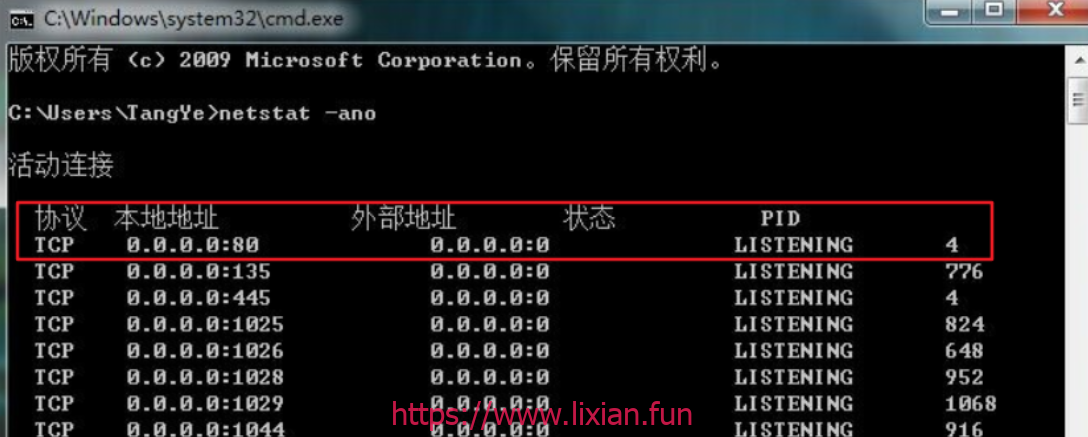
进入命令提示行(开始运行输入 CMD),输入命令 “ netstat -ano ”(显示包含:80的网络连接) ,就可以看到本机所有端口的使用情况,一般80端口在第一行,截图显示,端口已经被占用,PID 中写明 LISTENING 4。
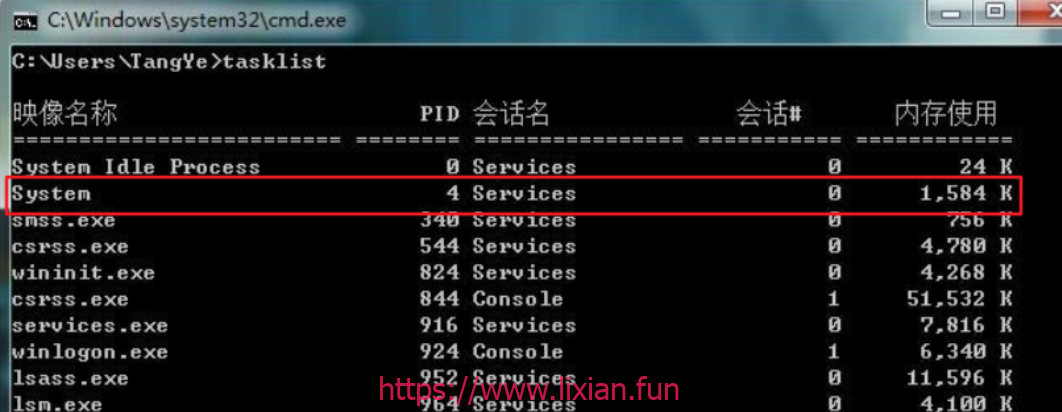
PID=4 的程序是哪一个呢?接着在命令提示和下输入指令 tasklist ,列出所有当前运行的进程,
发现 PID=4 的进程,居然是 system 。
二、解决方法

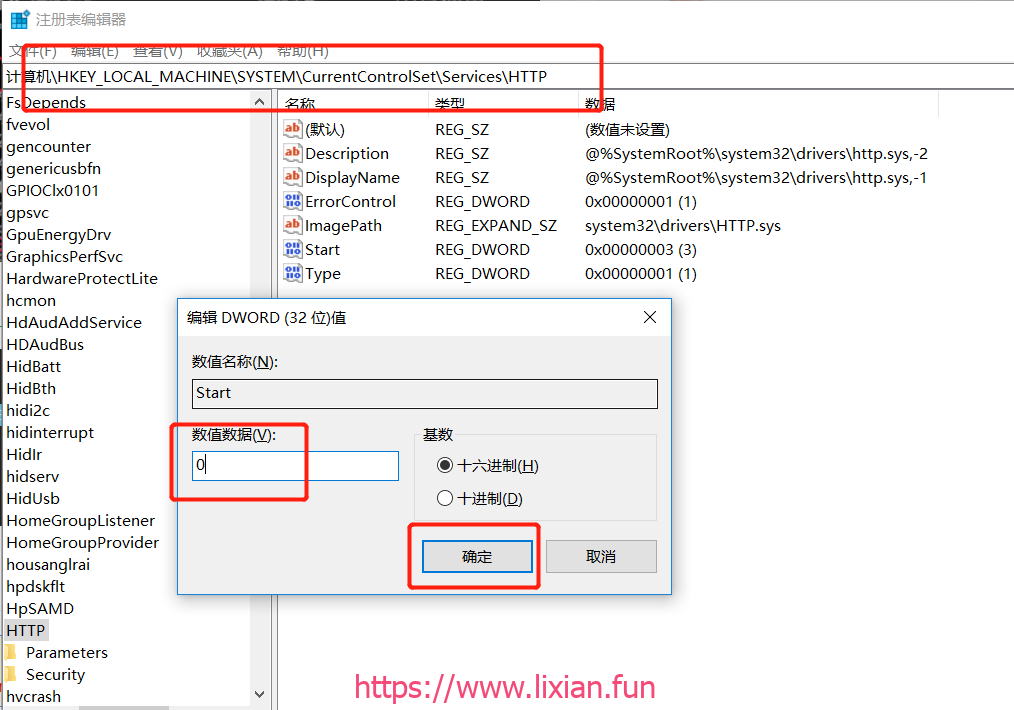
1、以管理员身份运行regedit ;

2、打开键值:HKEY_LOCAL_MACHINE\SYSTEM\CurrentControlSet\services\HTTP ;

3、在右边找到Start这一项,将其改为0;

4、重启系统,System进程不会占用80端口。

lx656.top , 版权所有丨如未注明 , 均为原创丨本网站采用BY-NC-SA协议进行授权
转载请注明原文链接:Windows server Nginx服务启动失败,端口被System占用解决【显哥出品,必为精品】
喜欢 (0)

您必须 登录 才能发表评论!

(2)个小伙伴在吐槽
  1. Reading your article helped me a lot and I agree with you. But I still have some doubts, can you clarify for me? I'll keep an eye out for your answers.
  2. I may need your help. I tried many ways but couldn't solve it, but after reading your article, I think you have a way to help me. I'm looking forward for your reply. Thanks.
    gate io2023-06-01 08:24